
ADMS · FODD controller export drivers
Get your prescriptions into the controller you already run.
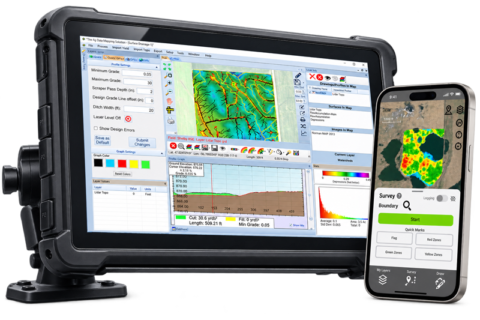
FODD drivers let Ag Data Mapping Solution export prescriptions to more controllers. ADMS ships with the AGCO drivers pre-installed. Add John Deere GS1, GS2, and more when your operation needs them.
What it does
One map, many controllers.
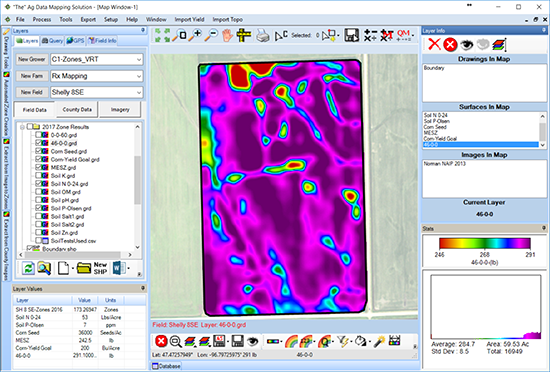
A FODD is a driver for a specific controller. Add the drivers you need, and the maps you build in ADMS export in a format your equipment can use.
Export to more controllers
By adding drivers for various controllers, ADMS can export to many different controllers, not just one brand.
AGCO, ready out of the box
ADMS ships with the AGCO FODDs pre-installed by the software, so AGCO users can export from day one.
Add only what you run
Add John Deere GS1, GS2 or truck crop yield drivers only when your operation needs them.
The drivers
What each driver lets you do.
ADMS, along with many other precision agriculture programs, gets its controller exports from the Field Operations Data Model (FODM), thanks to Ted Macy's vision at MapShots. FODD drivers matter most if you process legacy yield data or export variable rate maps to older controllers. ADMS customers get every driver below in one install pack.
Field Operations Viewer
The FODM program the controller drivers plug into. Lets you open and check field operations files on your PC.
John Deere GS1
Export ADMS maps to John Deere GreenStar 1 displays.
John Deere GS2
Export ADMS maps to John Deere GreenStar 2 displays.
Yield Editor
Clean raw yield monitor data and remove common errors before you map it.
Truck Crop Yield
Bring truck crop yield monitor data into ADMS.
AGCO drivers
Already installed with ADMS. Nothing to add.
Already an ADMS customer? Sign in to download.
The install pack is on your customer downloads page. New to ADMS? Our sales team can show you how the exports fit your equipment.
Thank you to the people at MapShots for creating FODM.
Why GK
GK pioneered RTK watershed modeling and in-cab drainage displays, with patented technology behind its SD Drain machine control.
How it works
From ADMS map to your controller.
Build your map
Create the prescription or application map in ADMS.
Check your drivers
Running AGCO? The FODDs are already installed with ADMS.
Add what is missing
ADMS customers sign in and install Field Operations Viewer and the driver for their controller.
Export
Export the map from ADMS to your controller.
Pricing
ADMS ships with the AGCO FODDs pre-installed. ADMS customers download drivers for other controllers from the customer downloads page.
Questions
Common questions.
A FODD is a controller export driver. FODDs are part of the Field Operations Data Model (FODM), created and maintained by MapShots. Each one lets ADMS export to a specific controller.
ADMS ships with the AGCO FODDs pre-installed by the software.
Sign in and open the FODD downloads page. Install Field Operations Viewer first, then the John Deere GS1 or GS2 driver.
Call GK at 855-458-3244 or contact us and tell us which controller you run. We will tell you what is available.
The downloads are Windows installers, and ADMS runs on Windows, versions 7 through 11, on your own computer.
Not sure which driver you need?
Tell GK which controller you run, and get your ADMS maps exporting to it.
Halstad, Minnesota · sales@gktechinc.com
Contact
Get in touch with GK.
Tell us about your operation and what you're trying to solve.
Halstad, MNA real person on the Halstad team reviews every message.
Call
Follow GK
Find us
GK Technology, Inc.
305 5th Street East
Halstad, MN 56548